Background Studio

Four families of generated background, built from the colors already in your document or your brand kit, and savable as a reusable pattern.
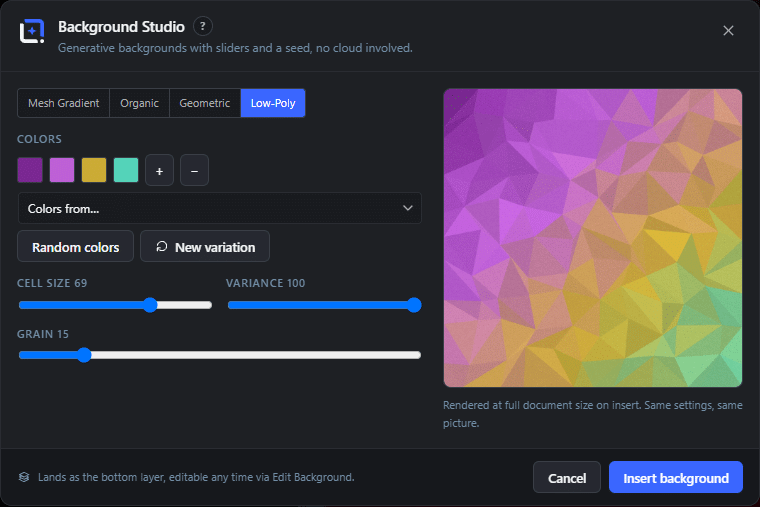
The Background Studio dialog in WunderPaint
Design Tools

Mesh gradients, organic shapes, geometric patterns and low-poly fields, in your own colors.

The background is the hardest part of a quick design to get right, because a stock gradient never quite matches your colors and a flat fill looks unfinished. So most people end up with a slightly wrong purple and a nagging feeling.

Background Studio generates the background instead, in four families: mesh gradients, organic blobs, geometric patterns and low-poly fields. Each one is procedural, so there is no library to browse and no chance that somebody else is using the same file.

The important part is where the colors come from. You can pick them by hand, but you can also pull them from the open document, from a brand kit or from a saved swatch set. That single option is the difference between a background that decorates and one that belongs, because it is literally made of the colors already in your design.

Every setting has a new variation button next to it, so you can keep rolling until something clicks without losing the settings you liked. And when it does click, save it as a pattern and it is available in every future document.

Play Video

Where to find it

Tools, then Background Studio

What it replaces

Stock gradient packs and hunting for a background that happens to match

What you get

  • Mesh gradient, organic, geometric and low-poly generators
  • Color sources: manual, document, brand kit or swatch set
  • Random colors and new variation buttons
  • Save as a named pattern for reuse
  • Inserts as a normal editable layer
  • Runs entirely in the browser

Requirements

Part of the free plugin. Everything renders in your browser.

Frequently asked questions

It arrives as a normal layer in your document, so you can mask it, blur it, change its blend mode or put things on top of it like any other layer.
Yes. They are generated on your machine from your own settings, so there is no license attached and nothing to attribute.
Save it as a pattern. That stores the result so you can drop the identical background into another document instead of trying to reproduce the randomness.

Features

Four generator families

Mesh gradient for soft modern washes, organic for flowing shapes, geometric for structured pattern work, low-poly for faceted fields.

Features

Your colors, not a stock palette

Take the colors from the current document, a brand kit or a saved swatch set, so the background matches the design by construction.

Features

Endless variations

Reroll the randomness while keeping the settings, so you can browse dozens of options in a minute without starting over.

Features

Save as a pattern

Anything you like becomes a reusable pattern, available in every document afterwards.

Experience Background Studio in WunderPaint

Mesh gradients, organic shapes, geometric patterns and low-poly fields, in your own colors.

Brush & Paint Styles

Paint with six styles that mix pigment instead of blending it, pick from thirty-seven tips shown as real strokes, draw a tip of your own out of shapes, and let the color travel along the stroke.

Collage & Photo Grid

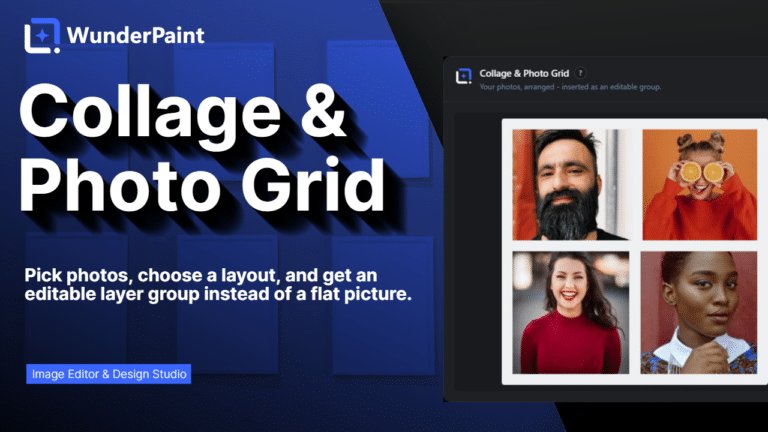
Arrange media library photos as a grid, mosaic, polaroid, filmstrip or contact sheet, tune gaps, corners and frames on a live preview, and insert it all as an editable layer group.

360° Panorama

Describe a place and the tool builds the full sphere around you, or let it rebuild a photo you already have as the whole scene around the camera. What comes out is somewhere visitors can look around, hotspots and all, in an embed that carries its own viewer.

AI Studio

Generate, edit, retouch and clean up images from a prompt or a single click, all in one panel. Many tools run locally with no key; prompt generation uses your own Gemini or OpenAI.

Asset Generator

Gradients, text treatments, shapes and illustrations generated from a prompt, in your brand colors, arriving as editable layers.

Stock Images

Search Pexels, Pixabay and Unsplash without leaving the editor, and insert what you find as a layer rather than a download.

Asset Library

Ready-made designs across social, marketing and seasonal categories, opening as layered documents in a new tab so your current work stays untouched.