Asset Generator

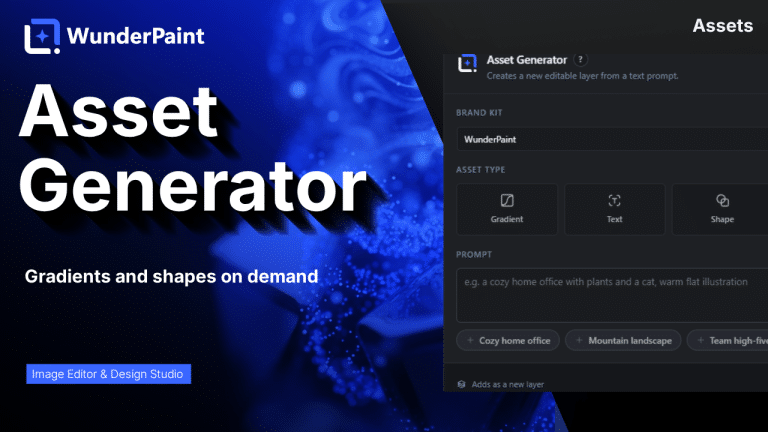
Gradients, text treatments, shapes and illustrations generated from a prompt, in your brand colors, arriving as editable layers.
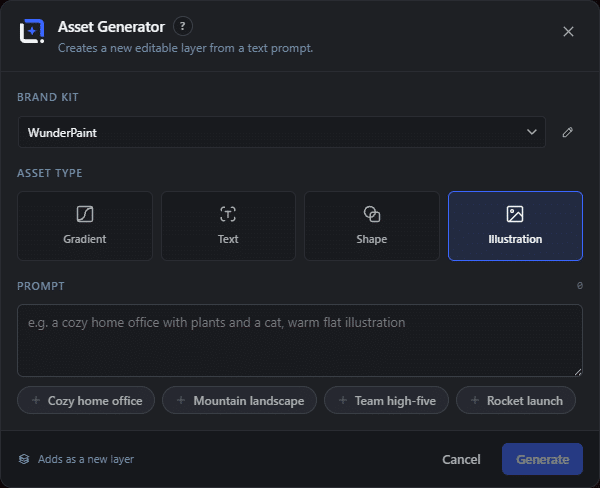
The Asset Generator dialog in WunderPaint
Library & Assets

Describe the gradient, shape or illustration you need, and get it as a layer.

Most designs stall on a small missing piece. A gradient that goes from the brand blue to something that works. A shape to sit behind a headline. An illustration of a specific thing that no icon set has.

The Asset Generator produces those from a description. Four kinds: gradients, text treatments, shapes and illustrations. Pick the kind, pick a brand kit so the colors are right by construction, describe what you want, and it arrives as a new layer.

The distinction that matters is between the three that are computed and the one that is generated. Gradients, shapes and text treatments are built locally and cost nothing. Illustrations go through whichever AI provider you have configured, so they cost whatever that provider charges.

Everything lands as an editable layer, which is the difference between an asset and a picture of an asset. A generated shape can be recolored, a generated gradient can be reversed, and neither of them is a flat PNG you have to regenerate to change.

Where to find it

Assets, then Asset Generator

What it replaces

Hunting through icon sets and gradient packs for something that nearly fits

What you get

  • Gradient, text, shape and illustration generation
  • Brand kit color binding
  • Prompt suggestions
  • Insertion as a new editable layer
  • Local generation for gradients, shapes and text
  • Illustration via your configured AI provider

Requirements

Part of the free plugin. Illustration generation needs an AI provider key.

Frequently asked questions

No. Gradients, shapes and text treatments are computed locally and cost nothing. Only illustrations go through an AI provider.
Whichever you have configured in the settings. Nothing is hard-wired, and no key means the illustration option simply is not available.
Yes, everything arrives as a normal layer. That is the point: a generated gradient you cannot adjust is worse than one you drew yourself.

Features

Four asset kinds

Gradient, text treatment, shape and illustration, each from a plain description.

Features

Brand kit aware

Pick a kit and the generated asset uses those colors, so it belongs to the design before you touch it.

Features

Prompt suggestions

Starting points for people who freeze at an empty prompt field, which is most of us.

Features

Editable layers

Adds as a new layer that behaves like any other, rather than a flat image you would have to regenerate to change.

Experience Asset Generator in WunderPaint

Describe the gradient, shape or illustration you need, and get it as a layer.

Brush & Paint Styles

Paint with six styles that mix pigment instead of blending it, pick from thirty-seven tips shown as real strokes, draw a tip of your own out of shapes, and let the color travel along the stroke.

Collage & Photo Grid

Arrange media library photos as a grid, mosaic, polaroid, filmstrip or contact sheet, tune gaps, corners and frames on a live preview, and insert it all as an editable layer group.

360° Panorama

Describe a place and the tool builds the full sphere around you, or let it rebuild a photo you already have as the whole scene around the camera. What comes out is somewhere visitors can look around, hotspots and all, in an embed that carries its own viewer.

AI Studio

Generate, edit, retouch and clean up images from a prompt or a single click, all in one panel. Many tools run locally with no key; prompt generation uses your own Gemini or OpenAI.

Asset Generator

Gradients, text treatments, shapes and illustrations generated from a prompt, in your brand colors, arriving as editable layers.

Stock Images

Search Pexels, Pixabay and Unsplash without leaving the editor, and insert what you find as a layer rather than a download.

Asset Library

Ready-made designs across social, marketing and seasonal categories, opening as layered documents in a new tab so your current work stays untouched.

Brand Kits

Colors, typefaces, a logo, a watermark and a company profile in one place, feeding every picker, template and generator on the site.

Media Library Manager

Folders and tags that persist outside the editor, semantic search that finds images by what they show, color and orientation filters, smart folders, and a full set of housekeeping tools.

Check Contrast

Audits the text layers in your document, reports the contrast ratio for each and tells you which ones are hard to read.

QR Code Generator

Links, text, email, phone, SMS, Wi-Fi access and contact cards, styled with your colors, module shapes and a center logo.

Chart & Table

Turn data into chart or table layers that stay editable, styled with your own typeface and colors rather than a spreadsheet default.

Content Generator

Article, SEO title, meta description, slug, tags, FAQ and sources, plus body images, a featured image and a social crop, all as a draft.

Generate from CSV

Type placeholders into your text layers, pick a spreadsheet whose columns carry the same names, and every row renders the design once.

Image Processor

Quick presets for web, email and lossless output, plus full control over format, quality and maximum size, applied across many images at once.

Featured Images

Search and filter posts, pages or products, pick a template, and render a featured image for each one, with resumable batches and per-category templates.

Design Generator

A complete layout with background, image, shapes and text, composed from a description and a chosen style, arriving as layers rather than a flat image.

Metadata Assistant

Generate titles, alt text, captions, descriptions and tags in bulk, in your language, with a local model or a cloud provider.

Batch Watermark

Pick images from the library, place a watermark from your brand kit or an upload, and apply it across the whole selection at once.

Actions

Record filters, adjustments and image operations into a named sequence, replay it on any image, and export it to share between sites.